Remote Access Software is the future of performing IT services. It is an advanced software that provides an ability to access and operate a computer without being physically available. It allowed the employees to work remotely and resulted in increases in productivity, engaged the workforce and boosted their morale. The software has set a distinctive trend in IT Industry. Many companies are upgrading themselves by adopting the idea of a remote workforce. Remote Access Software delivers a best-in-class experience which is requisite to the operation of a company.
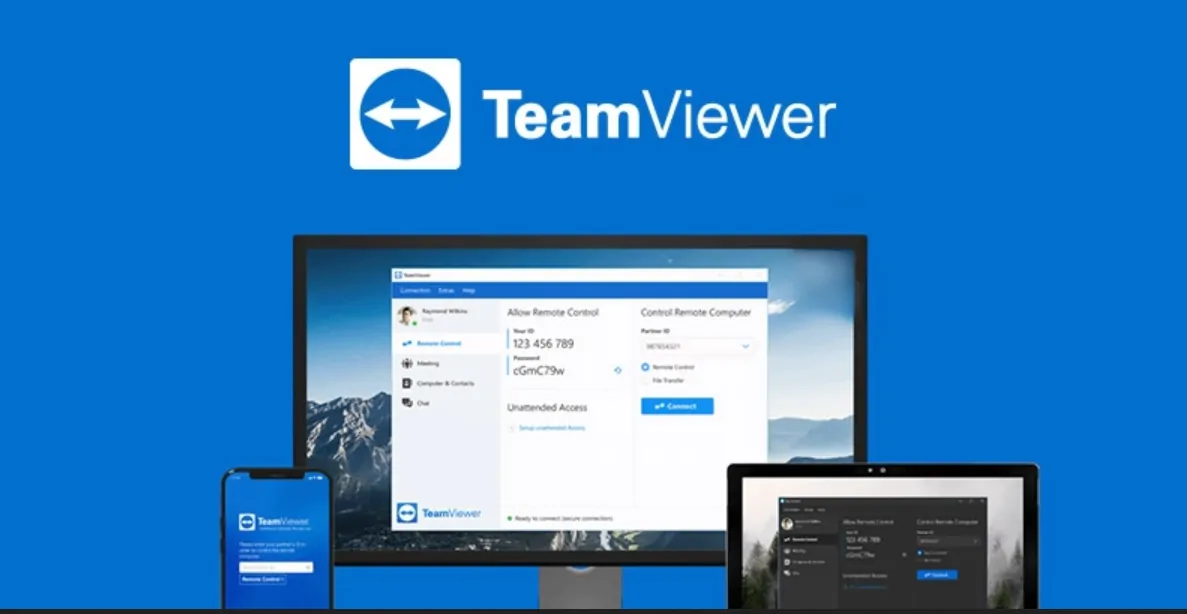
TeamViewer is a flagship product that provides all in one solution for managing all the meetings online, providing remote support and allowing remote access to work so that it will be convenient to work with colleagues. It also helps to stay connected with your devices. The software can control more than 400 active devices, of which 30 million devices can stay connected at a time. It complements the company’s product portfolio by providing IT monitoring solutions, anti-malware, data backup and web conferencing facilities.
The solutions offered by TeamViewer covers the entire cycle of the business. It addresses the specialized needs such as remote desktop, screen sharing, remote access, instant business chat, anti-malware, video conferencing etc.
5 Reasons to Choose TeamViewer over other Remote Access Software:
- Remote desktop– TeamViewer provides Multi-Platform, with a facility where people can quickly login into the partner’s device, by approving authentication, in case any IT issue arrives. It’s a cross-platform communication facility.
It also has a Linux Systems Without a GUI by which one can simply connect to Linux text console. It has a VPN alternative that comes with a variety of features like a connection to any device, with installed software, behind a firewall, sharing any file size with a speed of 200 MB/s, wake up LAN, black screen etc.
It also has an Unattended Access feature which allows connectivity to android devices. The admin can activate Host modules too.
- Benefit Corporate teams– A corporate can enhance the overall performance of the employees by creating channel groups with the help of TeamViewer. It is effortless to set up ensures that specific customer and the team will always have access to channels they require.this is one of the most potent options that determine the license and the corresponding channels are used by whom. It provides a Report feature that helps the users by providing a precise structure of billing, employee’s performance monitoring, tracking incoming and outgoing connections and many more. It also has an in-session commenting feature to have a better understanding of the needs of the customer.
It will help to manage and control the Permissions of your device and policies to secure your business data. It enables session recordings, policy settings and device management.
Your customers can also use your customized QuickSupport module under Custom Branding and support services integrated with the stack. Other features include Seamless Ticket Management, Efficient Personal Support, Easy Collaboration, Personalized Mail Servers and creation of Knowledge Base.
- Organizes Online meetings and collaboration– the software has Blizz’s Whiteboard Feature by which enables the mutual connection on project and idea brainstorming with the remote team. It allows for multi-user collaboration. It also has chat options that let you communicate via high-quality video calling, screen sharing, and texting with the choice of your device.
Every client, as well as employees, can have their separate profiles and connect at the individual level to work in a single project. It enables a speedy process of working by instant login option, access to notifications and other features.
- Ideal for Small and Large enterprises– Generally, a large enterprise has teams located in different parts of the world. TeamViewer software combines the remote access and meeting tools in one program. Not only large but small enterprises can also use the software to manage their business.
The software is versatile in nature. It is available in all kind of operating systems like Android, Windows, iOS, OS X, and Linux. It allows employees around the world to work remotely and use any device as per your convenience.
- Monitoring and Security– The most important reason for choosing TeamViewer is that it provides End-to-End Security built by the high-end state-of-art security engineers. It has data and programs encryption system based on the same standards as https/SSL. It successfully matches today’s standards and Security. It tends to add an additional layer of Security with its two-factor authentication. It offers file transfer and invisible access protection for the support sessions.
It has four-tier fortification to enforce password resetting, two-step authentication, as well as master a whitelist. It also protects malicious software, safety backup of remote data and network management from easy to use intuitive dashboard.
No doubt the internet is a scary place to do business. But its also very difficult to do business without it. Thanks to TeamViewer software to allows this action most effectively.