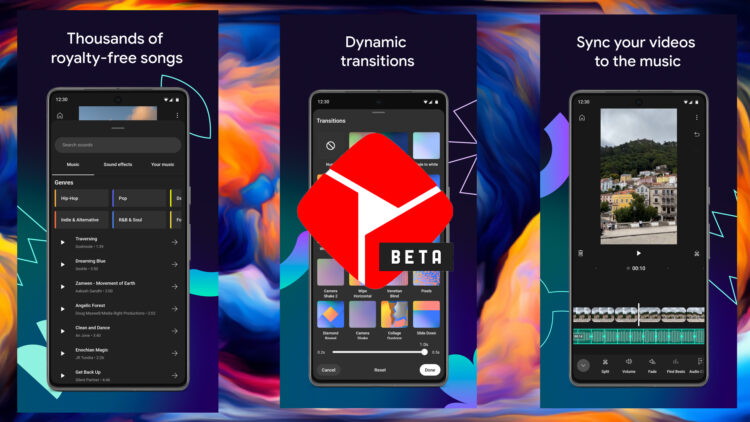
YouTube Create is a free smartphone app from YouTube that offers powerful and user-friendly video creation and editing features designed for short, social media-style videos. Key features include built-in video recording and editing tools, licensed media content, templates, the ability to add graphics and effects, and direct YouTube publication. YouTube produce allows anybody to produce high-quality, interesting short-form videos entirely on their smartphones.
What is YouTube Create?
The YouTube Create app is an excellent and simple video editing tool that allows you to edit, cut, apply filters, and add audio tracks to your videos. It has a plethora of high-end features like as animations, transitions, text, stickers, and many more professional editing tools. These features enable you to add a wide range of visual effects, making your videos even more interesting and appealing.
YouTube Create Key Features Include:
- Integrated editing tools allow you to cut, splice, and combine clips, as well as add music and effects, all from inside the application.
- Multiple pre-made video templates and themes let you get started quickly.
- The ability to create new videos straight within the app using the phone’s camera.
- Large licensed music and sound effects collection to add to videos.
- Tools for quickly adding text, titles, filters, and stickers to videos.
- Handwritten text, shapes, drawings, and other drawing tools can be added to video clips.
- Controls for adjusting speed, adding voiceovers, and inserting transitions between clips.
- Before exporting your completed video, preview and modify any modifications.
- Options for uploading completed videos directly to the user’s YouTube channel.
To summarize, YouTube Create is a complete mobile video editing suite targeted for short social media-style videos, with direct YouTube integration, making it simple for anybody to create interesting video content on their phone. The app is available for free for iOS and Android.
How to Download YouTube Create App?
Here’s how you download the YouTube Create app:
On Android:
- Open the Google Play Store app on your Android phone.
- Click “YouTube Create”.
- Tap the “Install” button.
- The app will start downloading and installing into your phone.
- Once installed, open the YouTube Create app from your app drawer.
On iPhone and iPad:
- Open the App Store app on your iOS device.
- Click for “YouTube Create”.
- Tap the YouTube Create app in the search results.
- Tap on the “Get” button.
- The app will start downloading and installing onto your device.
- You may be asked to enter your App Store password or use Touch ID to verify.
- Once installed, go to your home screen and open the YouTube Create app.
That is it! YouTube Create will now be properly set up on your Android or iOS device. The app may then be opened and you can begin creating videos. The app provides a variety of tools and features for creating short, high-quality videos directly from your phone.
YouTube Create App Screenshots
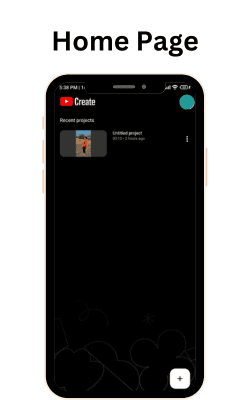
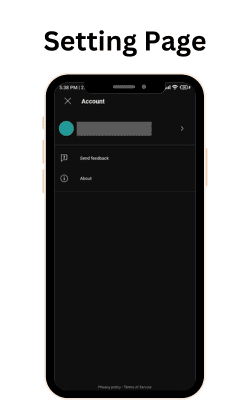
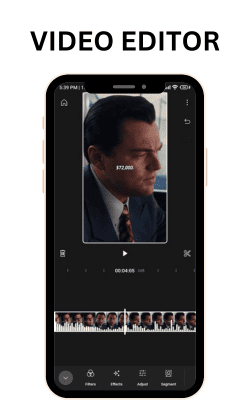
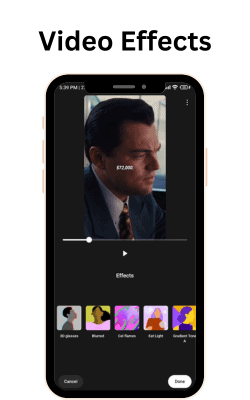
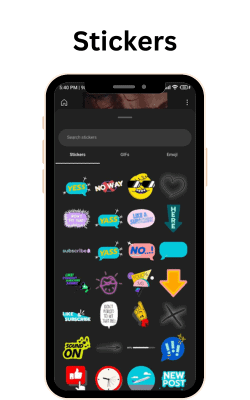
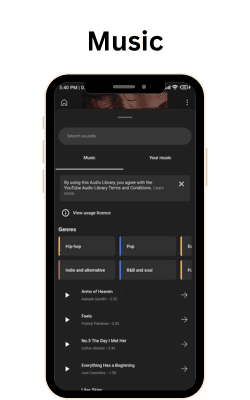
FAQs
Is YouTube Create actually free to use?
Yes, YouTube Create is a free mobile app that anybody can download and use to create free videos.
What devices can you use YouTube Create on?
YouTube Create is a free applications for iOS and Android smartphones.
Can I capture videos straight in the YouTube Create app?
Yes, you can record video using your phone’s camera straight within the app. There’s no need for a separate camera app.
Is there a library of music, sound effects, or templates?
To improve your videos, YouTube Create offers licensed music, sound effects, animated text, transitions, and other features.
What sorts of videos can I create with YouTube Create?
You may create short videos up to 15 minutes long that are designed for social media. This includes vlogs, tutorials, product reviews, short videos, reels, and so on.
Does YouTube Create provide all of the key editing features?
Yes, YouTube Create includes basic editing tools such as cutting, splicing, adding music and effects, text/stickers, transitions, and speed control.
Is a YouTube account necessary for YouTube Create?
Signing in requires a Google account, although having a YouTube channel is optional. Videos may be kept on your camera roll.
Is there a desktop version of YouTube Create?
No, YouTube Create is only accessible as a mobile app for Android and iOS. No desktop version exists.
How can I add voiceovers and record audio?
You may record voiceovers in the app and then add them to your video clips.
Can YouTube Create help me publish videos?
Yes, you may upload finished videos straight to your YouTube channel from within the app.
Conclusion
YouTube Create is a free mobile app from YouTube that offers powerful and user-friendly video production and editing features designed for short, social media-style videos. Key features include built-in filming and editing tools, licensed media content, templates, the ability to add graphics and effects, and direct YouTube publication. YouTube produce allows anybody to produce high-quality, interesting short-form videos entirely on their smartphones. It reduces the boundaries posed by complicated editing tools, making professional video production accessible to producers of all skill levels. The program is perfect for creating vlogs, tutorials, reviews, and other social media content. YouTube Create, with its emphasis on accessibility and native YouTube integration, offers a unique approach for users to develop their creative voice and share their experiences through video.