
Pictures in various formats occupy a large part of our files, because in our daily life, there are always too many to be recorded. And in our work, we will inevitably use pictures to help us obtain information quickly. In order to ensure file quality, many users will choose to convert their image files to PDF files, which can also better manage our pictures. Why?
PDF is a very stable file format that is not easy to be edited and stolen. It can help us manage pictures well, and it is far more secure than a single JPG, PNG and other picture formats. Perhaps you will think that JPG pictures are of high quality. But the development of science and technology has made the quality of converted PDF files also be the same, or higher than the source files.
EasePDF is such an Online PDF Converter that can help us to convert JPG and many other images to a high-quality PDF file. It’s safe and free to use, even if you are using it for the first time, you can quickly know how to access it. What’s more, you don’t need to worry about privacy as the server will automatically delete all the files after the conversion in 24 hours.
How to Convert JPG to PDF with EasePDF
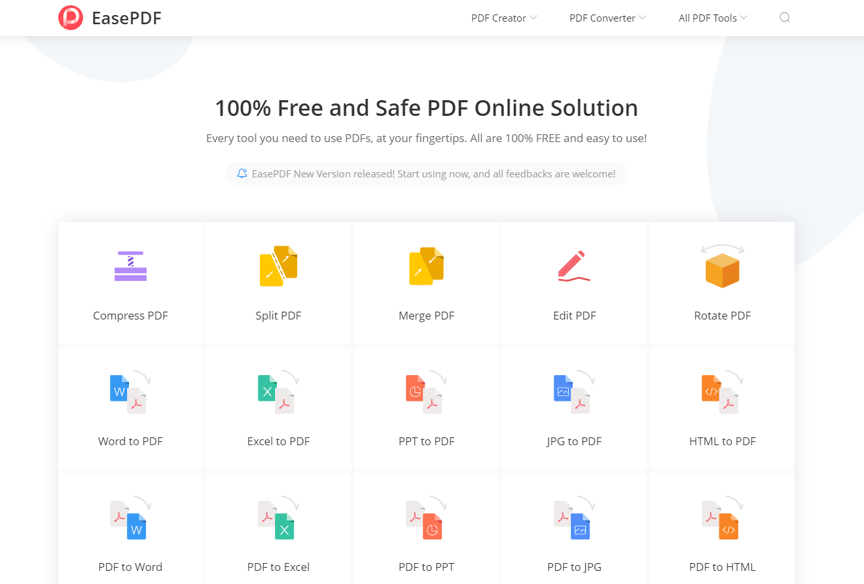
Step 1. Navigate to EasePDF, then head into JPG to PDF.
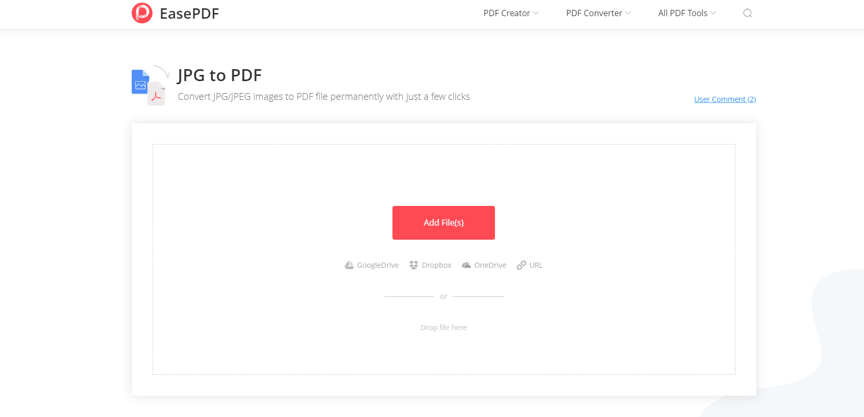
Step 2. Now you can upload your JPG as well as other image formats (PNG/BMP/GIF) that EasePDF supported to the server. You have ways to upload all the images:
- Click the Add Files(s) button to select images from your computer.
- Upload images by dragging and dropping them into the loading area.
- Import your images from your cloud account, like Google Drive, Dropbox, and OneDrive.
- If you only have the URL address of the images, you can copy and paste the link after you click on the URL icon.
Step 3. Now you will have a preview of all your uploaded image files. Here you can change the order of the images, and change the orientation of them. Besides, if you want to delete some of them, you can just click the Delete icon of each image, and add more images by clicking on the big “+” icon.
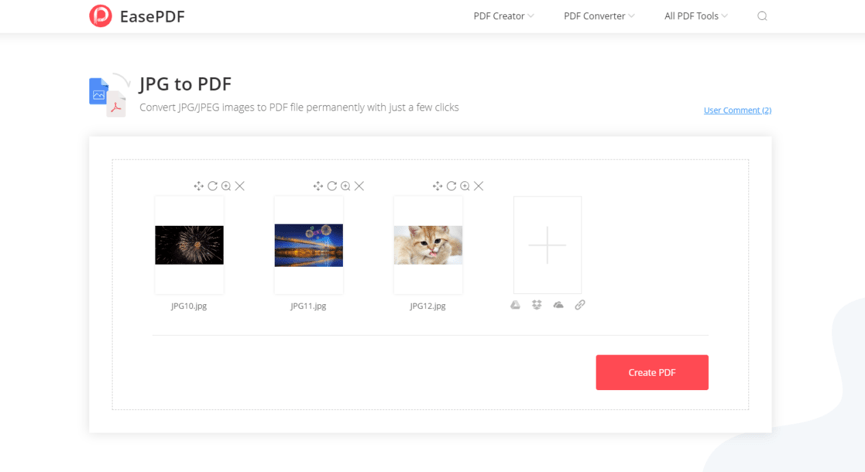
Step 4. When you confirm the manipulation, you can click Create PDF to export a new PDF document. Then wait seconds for the uploading and processing of your file.
Step 5. Download the PDF file. Now you are able to save the file to your local computer, or to your cloud account again. If you want to share the file, you can copy the URL link that EasePDF created for you. However, as we have mentioned above, the server will delete the file automatically in 24 hours, so the link is only valid in 24 hours.
Why Choose EasePDF
Although there are many ways to convert JPG images into PDF files, including offline methods, convert through the browser and so on. But they are all not better than an online PDF converter. A professional online PDF tool can meet most of your needs.
The most important reason for choosing EasePDF is that it can not only help me efficiently convert all JPG images into a PDF file, but also the quality of the images has not been reduced. It is also worth noting that although it is free to use, it has high-security performance, so I don’t have to worry about whether my privacy will be leaked. I believe that once you have used EasePDF, you will also enjoy it. Don’t hesitate anymore, go to try it now!