
Techolac - Computer Technology News
  • Home
  • Internet
  • Business
  • Computers
  • Gadgets
  • Lifestyle
  • Phones
  • Travel
  • Tech
  • More
    • Automotive
    • Education
    • Entertainment
    • Health
    • SEO
    • Linux
    • WordPress
    • Home Improvement
    • How to
    • Games
No Result
View All Result
  • Home
  • Internet
  • Business
  • Computers
  • Gadgets
  • Lifestyle
  • Phones
  • Travel
  • Tech
  • More
    • Automotive
    • Education
    • Entertainment
    • Health
    • SEO
    • Linux
    • WordPress
    • Home Improvement
    • How to
    • Games
No Result
View All Result
Techolac - Computer Technology News
No Result
View All Result
Home Computers

How to Copy Video to DVD

by Editorial Staff
June 29, 2021
in Computers
Reading Time: 2 mins read

How to burn videos to DVDs? If you want to copy videos to DVD, DVDFab DVD Creator is the best free assistant. It can copy and convert various videos to a DVD folder, image file, or disc. And a DVD menu can be created and customized if you like. You can take full advantage of DVDFab during the 30-day trial period when it’s free. I mean you can do more than just burn videos to DVD. Now let’s dive down to the details.

Table of Contents
Step 1: Run DVDFab and choose DVD Creator
Step 2: Load the source
Step 3: Create and customize the DVD menu
Step 4: Start conversion

Step 1: Run DVDFab and choose DVD Creator

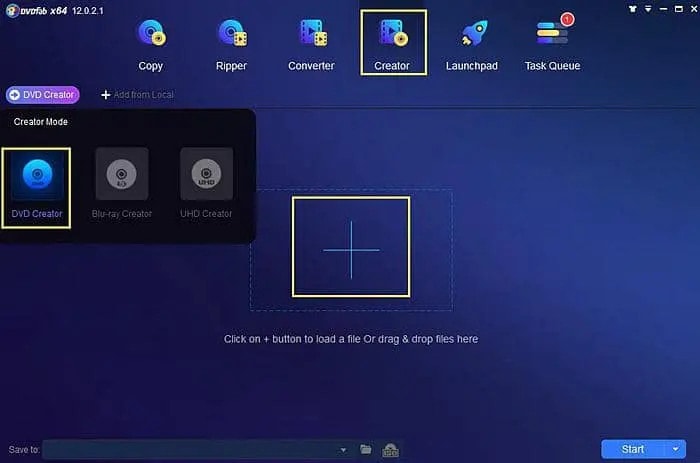
After download and install DVDFab 12, run it. Go to the Creator option. If the default creator mode on the left panel is not DVD Creator, just click the mode icon to select DVD Creator.
Step 2: Load the source

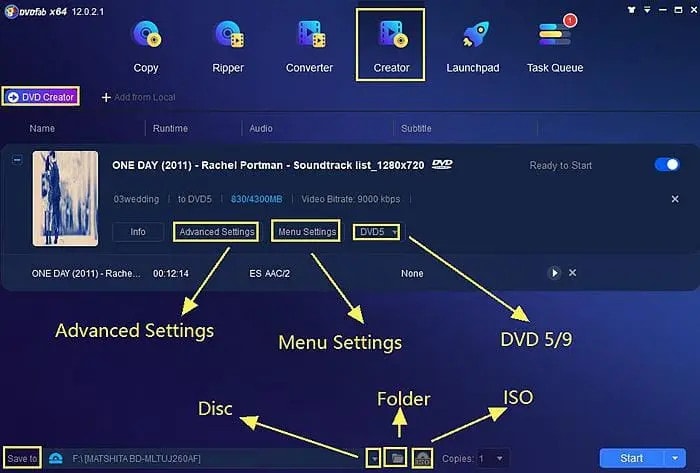
Click the Add button to load the videos you want DVDFab to process. Or just drag and drop the source videos into the program. Please note DVDFab can process multiple videos.

After the source videos are imported into this DVD video burning software, you should specify a storage path in the bottom “Save to” box. Note that if you want to copy the source into a DVD disc, please select the DVD drive which will appear in the Save to box once it’s connected to your PC.

By the way, you can also use this free video burner to copy DVD to a folder or an ISO image file using the other two options available at the bottom.
Step 3: Create and customize the DVD menu

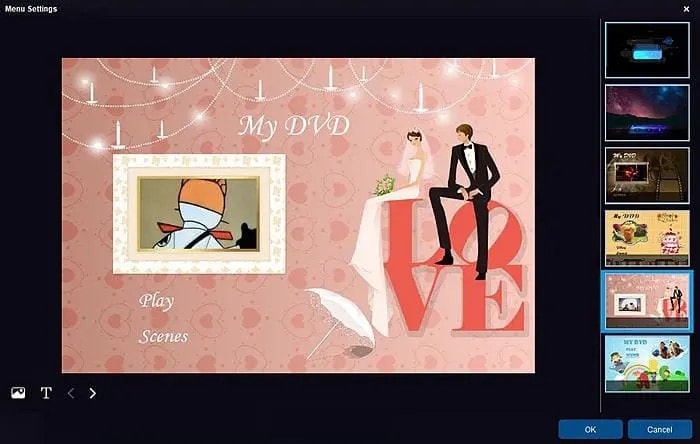
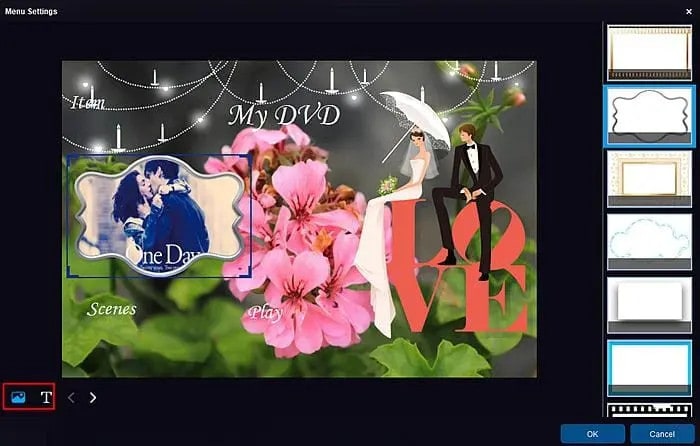
In the last screenshot, you can see an option – Menu Settings in the DVD creator. Click it and you will get many menu templates under different categories, like wedding, children, balloon, etc. Choose one if there is some you are truly fond of. If not, just upload your own image as a background for your created DVD videos. This DVD burner is absolutely open and free, so you can do whatever you want when you are burning video to DVD using DVDFab DVD Creator.
Step 4: Start conversion

Return to the main interface and click the Start button. Then this DVD movie burner will work hard to deal with your task. How long does it take to burn DVD? Just several minutes, very fast. During the process, you can view detailed progress info and set your PC to shut down or hibernate when all tasks are done.
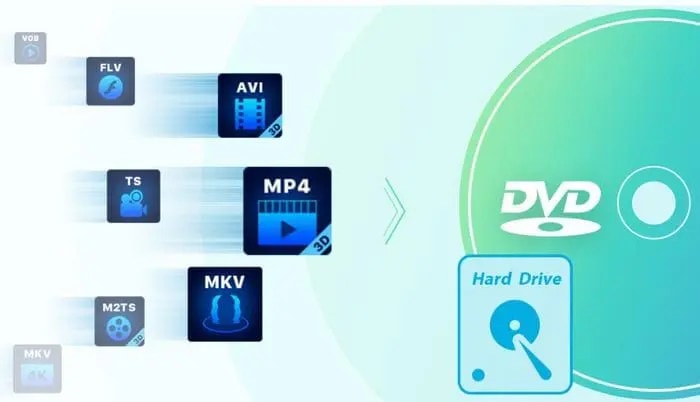
DVDFab DVD Creator is the best free tool to help you copy videos to DVDs, including but not limited to MP4 to DVD, ISO to MP4, FLV to DVD, MOV to DVD, AVI to DVD, and more. It is one of the few free DVD burners supporting self-made menu templates, so you can capitalize on this feature to copy video to DVD with your favorite background. Are you ready? Go!


Related Posts

16 Best AI Video Enhancers for 2026

16 Best AI Video Enhancers for 2026

May 20, 2026
The Best Disk Imaging Software: 10 Top Providers for 2026

The Best Disk Imaging Software: 10 Top Providers for 2026

May 12, 2026

12 Best CPU and GPU Temperature Monitoring Tools 2026

April 26, 2026

Top 18 Best Data Recovery Software in 2026

March 2, 2026

Enhancing Software Development with Code Extensions

February 17, 2026

How to Transfer Windows 10 from HDD to SSD Without Losing Data (2026 Guide)

January 23, 2026

Leave a Reply Cancel reply

Your email address will not be published. Required fields are marked *

Recent Articles

  • How to Choose a TV That Works With Your Living Room
  • Everything You Need to Know About Payday Loans Before Borrowing
  • How AI Product Photo Suite Tools Are Transforming E-Commerce Visual Content Operations
  • Why Certain Gemstones Have Remained Popular for Centuries
  • The 10 Best Instapage Alternatives for 2026
  • 15 Best Investment Management Software 2026
  • 15 Best Learning Management Systems (LMS) in 2026

Related Posts

None found

  • Terms and Conditions
  • Disclaimer
  • Write for us

© Techolac © Copyright 2019 - 2022, All Rights Reserved.

No Result
View All Result
  • Home
  • Internet
  • Business
  • Computers
  • Gadgets
  • Lifestyle
  • Phones
  • Travel
  • Tech
  • More
    • Automotive
    • Education
    • Entertainment
    • Health
    • SEO
    • Linux
    • WordPress
    • Home Improvement
    • How to
    • Games

© Techolac © Copyright 2019 - 2022, All Rights Reserved.