
Techolac - Computer Technology News
  • Home
  • Internet
  • Business
  • Computers
  • Gadgets
  • Lifestyle
  • Phones
  • Travel
  • Tech
  • More
    • Automotive
    • Education
    • Entertainment
    • Health
    • SEO
    • Linux
    • WordPress
    • Home Improvement
    • How to
    • Games
No Result
View All Result
  • Home
  • Internet
  • Business
  • Computers
  • Gadgets
  • Lifestyle
  • Phones
  • Travel
  • Tech
  • More
    • Automotive
    • Education
    • Entertainment
    • Health
    • SEO
    • Linux
    • WordPress
    • Home Improvement
    • How to
    • Games
No Result
View All Result
Techolac - Computer Technology News
No Result
View All Result
Home Internet

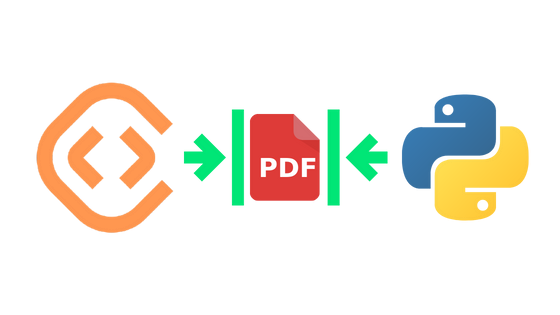
How to compress PDF files using Python programming language?

by Editorial Staff
February 23, 2023
in Internet
Reading Time: 2 mins read

With the rapid increase in digital document usage, the need to reduce file sizes has become more important.

To achieve this, ConvertAPI provides a powerful solution for compressing PDF files in Python programming language. It reduces file size while optimizing for maximal PDF quality by compressing text, graphics, and images, subsetting fonts, and optimizing document structure.

The first step is to install the ConvertAPI Python Client. To do this, you need to execute the pip command:

pip install –upgrade convertapi

Or install from source with:

python setup.py install

Once installed, using this API is easy.

All you have to do is create an account with ConvertAPI to get a free API Secret Key and add to the Code Below:

convertapi.api_secret = ‘API SECRET KEY’

convertapi.convert(‘compress’, {

‘File’: ‘/path/to/my_file.pdf’

}, from_format = ‘pdf’).save_files(‘/path/to/dir’)

To initiate the compression process, the ConvertAPI client is imported, and the API secret is set using the `api_secret` attribute.

The `convert` method is then called with the conversion destination `compress`, the path to the PDF file as an option, and the input file format `pdf`.

The result of the convert method is saved to the ‘/path/to/dir/’ directory using the `save_files` method.

Note that if the same directory is used for both the input and output files, the original file will be replaced with the compressed version.

ConvertAPI doesn’t stop there; you can use advanced conversion options from PDF Compression API page.

This Compress API provides one with a range of choices for PDF compression. You can select from various algorithms and quality levels, allowing you to compress images in your PDFs precisely as needed.

ConvertAPI also allows the removal of redundant objects like fonts, bookmarks, or annotations; page labels; article threads; tagged information, and more – making sure that nothing is taking up unnecessary space on your documents.

Even better, this API optimizes content streams within the file and linearizes compressed files too! Plus, its ability to subset embedded font makes loading them faster when viewed online – undoubtedly improving user experience.


Related Posts

Best 15 SOCKS5 Proxy Service Providers in 2026

Best 15 SOCKS5 Proxy Service Providers in 2026

July 8, 2026
15 Best Free Reverse Phone Number Lookup Sites

15 Best Free Reverse Phone Number Lookup Sites

June 14, 2026

Best 20 Sites Like UnblockMyWeb In 2026

June 14, 2026

The 6 Best Online Free Photo Repair Tool You Can Use (2026)

June 7, 2026

11 Best 4chan Alternatives For Imageboards in 2026

May 28, 2026

SpyDialer Reverse Phone Lookup and Competitors

May 28, 2026

Leave a Reply Cancel reply

Your email address will not be published. Required fields are marked *

Recent Articles

  • Best 15 MRP Software for Small Business 2026
  • Best 15 SOCKS5 Proxy Service Providers in 2026
  • 18 Best Cloud GPU Hosting Providers of 2026
  • 15 Best VoIP Phone Services in 2026
  • 10 IPTV Smarters Pro Alternatives In 2026
  • How to Choose a TV That Works With Your Living Room
  • Everything You Need to Know About Payday Loans Before Borrowing

Related Posts

None found

  • Terms and Conditions
  • Disclaimer
  • Write for us

© Techolac © Copyright 2019 - 2022, All Rights Reserved.

No Result
View All Result
  • Home
  • Internet
  • Business
  • Computers
  • Gadgets
  • Lifestyle
  • Phones
  • Travel
  • Tech
  • More
    • Automotive
    • Education
    • Entertainment
    • Health
    • SEO
    • Linux
    • WordPress
    • Home Improvement
    • How to
    • Games

© Techolac © Copyright 2019 - 2022, All Rights Reserved.